Validating Cylc Workflow Suites#
This application generates an illustrative flowchart of a specified Cylc workflow suite. It can also be used as a means to validate that a Cylc workflow suite is properly configured. Consider the example workflow suite found here; the graphing application may be used as follows.
user@host:$ cd /path/to/ufs_engines/scripts
user@host:$ ./cylc_graph.py --help

Usage: cylc_graph.py [-h] output suite

Cylc graph application interface.

Positional Arguments:
  output      The directory tree path to which the Cylc graph images will be written.
  suite       The path to the Cylc workflow suite.

Optional Arguments:
  -h, --help  show this help message and exit

user@host:$ ./cylc_graph.py /path/to/output/directory /path/to/cylc/suite
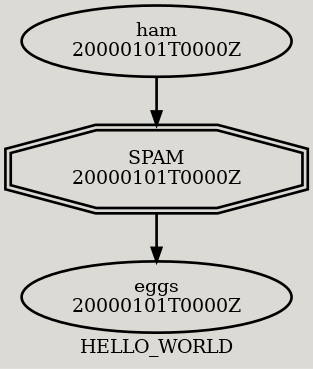
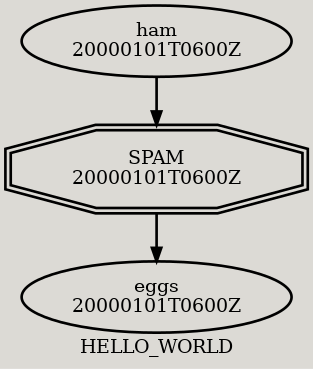
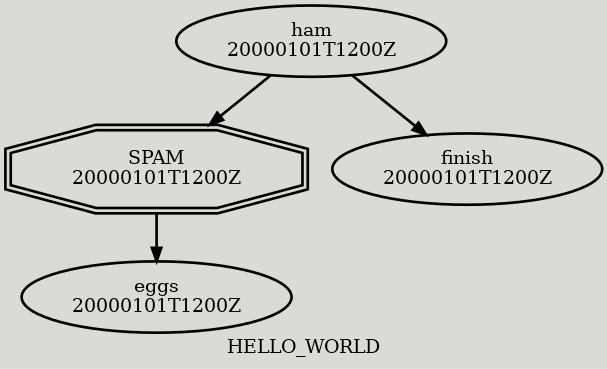
Image files are created for each forecast cycle type within the respective Cylc suite. In the example above, three forecast cycle types are listed, as described in the following table.
Cycle Type |
Description |
Image |
|---|---|---|
Initial |
This is the initial forecast cycle; see |
|
Cycling |
These are the cycling forecast cycles; see |
|
Final |
This is the final forecast cycle; see |
|